Cokian ION
Safe use, quick setup, and warranty.
You reached this page from the code on your ION packaging. Everything here is short on purpose. Read the safety notes once; they keep the product working for years.
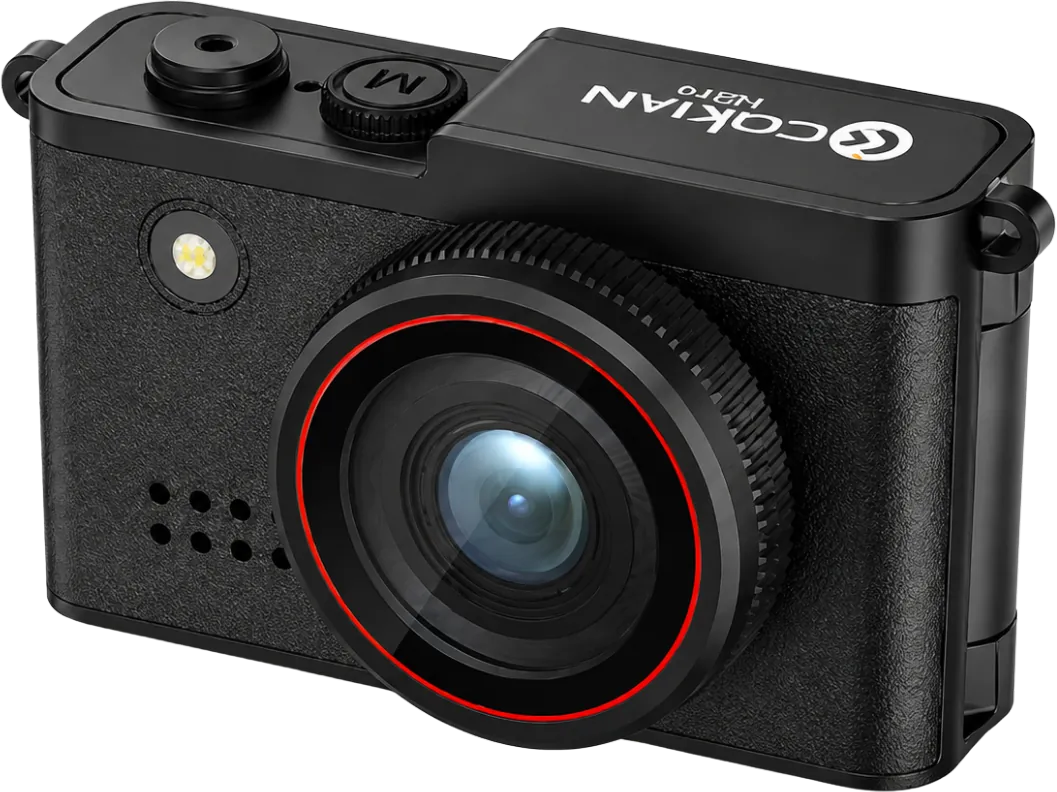
Quick setup
Before the first use
- Charge before first use. You can charge from a wall charger, a computer, or a power bank. The red light stays on while charging and goes off when full.
- Hold the M button for 3 seconds to turn on (blue light), and 2 seconds to turn off.
- Insert a microSD card before shooting. Press the camera button once for a photo; press M to switch to video, then the camera button to start and stop.
- Flip the screen to face you for selfies and vlogs.
- If the camera freezes, press the reset hole with a pin, then turn it on again.
Safe use
Keep it working, keep it safe
- If the battery is very low the camera protects itself and will not turn on. Charge it first.
- Keep the camera away from magnets, motors, and anything that gives off strong radio signals; they can damage photos and sound.
- Do not pour or drop any liquid into the camera.
- Use a good quality microSD card, and keep cards away from magnets.
- Keep the camera away from small children; it contains a battery.
- Do not repair the camera yourself.
- The camera contains a battery. Do not throw it in household rubbish; bring it to an e-waste collection point.
Warranty
Warranty terms
- Cokian products come with a 3-month limited warranty from the date of purchase, covering defects in materials and workmanship under normal use.
- 7-day replacement: if your camera has a defect within 7 days of purchase, bring it back with the receipt and the complete packaging and the seller replaces it with a new unit instead of repairing it.
- To make a claim, bring the product, your official receipt, and the packaging to the seller you bought it from. The seller checks the product and arranges repair or replacement.
- During the warranty period, a product confirmed to have a manufacturing defect will be repaired or replaced with the same or an equivalent model at no charge.
- The warranty does not cover damage from drops, water, heat, misuse, unauthorised repair or opening, use with incompatible chargers or cards, or normal wear such as scratches and battery ageing.
- Memory cards: the warranty covers the card itself. Back up your files; lost data is not covered.
- Consumables and accessories such as cables, straps, and packaging are not covered.
- This warranty is in addition to your rights under Philippine consumer law, including the Consumer Act of the Philippines (Republic Act No. 7394).
Questions about a product, a warranty claim, or a purchase? Bring it to the seller first, or email [email protected]. Dealers: [email protected]. Collaborations: [email protected].
Where to buy Cokian