User manual
You reached this page from the code on your Vista Plus AG18 packaging. Ten minutes here covers everything: setup, the controls, the battery rules, and the warranty.
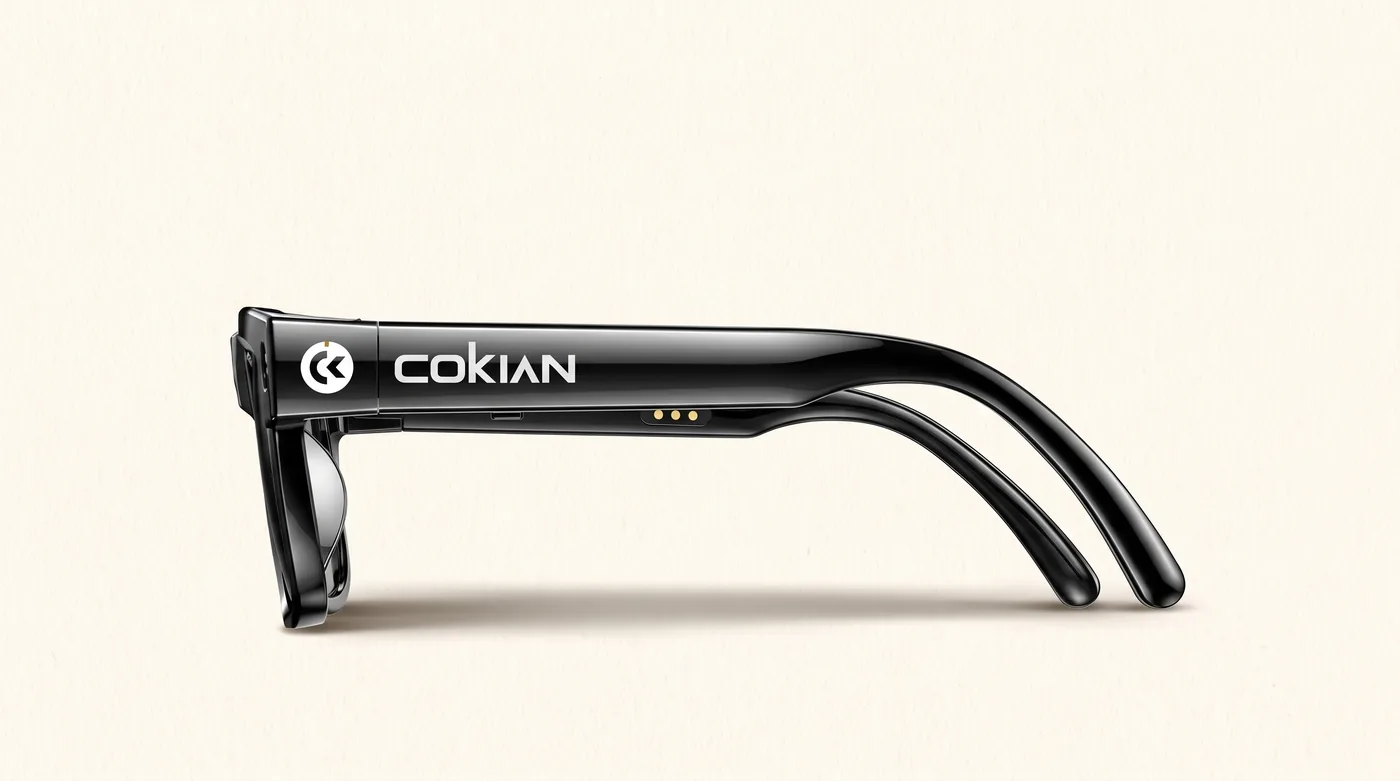
Appearance
Know your Vista Plus AG18
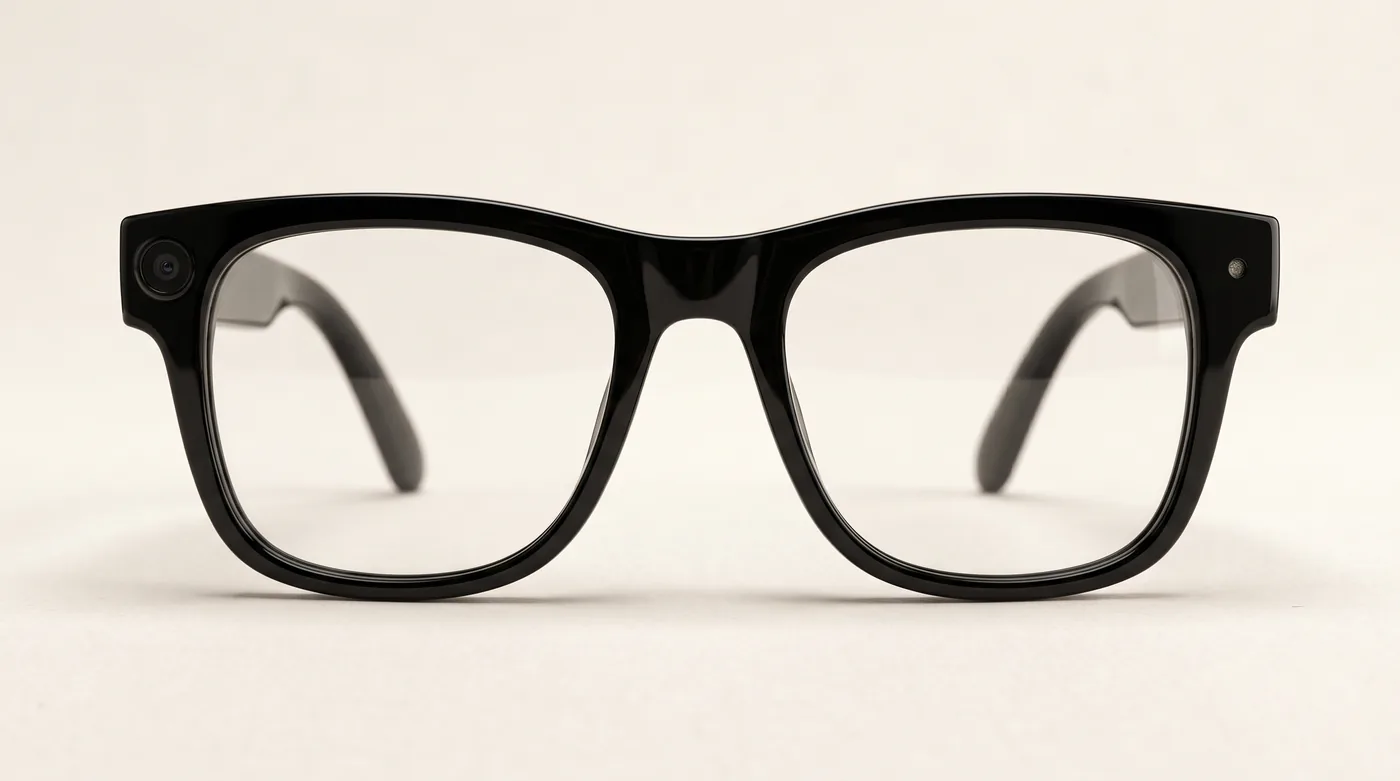
8MP Sony cameraA Sony IMX219 sensor in the front corner. A white light flashes for photos and stays on while video records.
Power switchA small toggle switch on the LEFT temple arm. Push it forward for on, pull it back for off.
Right side buttonPhotos, video, audio, and calls.
Touch areaThe flat zone on the upper right temple arm, for music, volume, and the AI assistant.
Type-C charging portCharges with a regular USB Type-C cable.
Wear detectionThe glasses know when they are on your face. Take them off and they rest on their own after a moment.
In the kitTwo lens sets come in the box: clear lenses and dark shades.
Connection instructions
First five minutes

Scan to download the AIBuds app, or search "AIBuds" on Google Play or the App Store. The links: Google Play · App Store.
- Charge the glasses fully over Type-C with a plain 5V/1A charger. Do not use a fast charger.
- Push the left toggle switch forward to power on. Pull it back to power off.
- Download the AIBuds app from Google Play or the App Store and create an account.
- In the app, open Home, tap Connect Device, and select your glasses from the list. A ding-dong sound means you are connected.
- Allow the permissions the app asks for. Photo and video transfer to your phone runs over Wi-Fi and only works with those permissions on.
- Heads up: before the first app connection the camera button stays locked, and the glasses shut down after a few minutes if nothing connects. Connect the app once and everything unlocks.
Key definition
The touch area
- Play or pause musicTap twice.
- VolumeSwipe forward to turn it up, backward to turn it down.
- Next trackTap three times.
- AI assistantLong-press the touch area to wake it or to exit. The wake word is "Hey Funseek".
Warm tips
Good to know about the battery
- Photos and video use the most power. The 410mAh battery is the biggest in the Vista family.
- Below 15 percent battery, photo and video switch off to protect the battery. They come back after charging.
- Below 20 percent, transfers to your phone pause. They resume after charging.
- Low battery voice warnings play at 10 and 5 percent.
- Charge only with a plain 5V/1A charger. Fast chargers can damage the battery.
Lenses
Swapping the lenses
- Your Vista Plus AG18 comes with two lens sets in the box: clear lenses for indoors and dark shades for the sun.
- To remove a lens: hold the frame's outer edge with your index and middle fingers, then press the lens from the inside out with both thumbs until it pops free. Do the same on the other side.
- To fit a lens: line it up with the frame from the inside, hook one edge in at an angle, then press it outward with your thumbs until it seats. Adjust gently, then do the other side.
- Work over a soft surface, and never force a lens that is not lining up.
Precautions
Keep it working, keep it safe
- The Vista Plus AG18 is not waterproof. Keep it out of rain, never soak it, and never charge it in a wet or humid place.
- The frame material is soft. Put the glasses down gently, and stop using them if any part breaks, so you do not get scratched.
- The camera light is there for other people's privacy. Hidden or secret recording is prohibited; follow Philippine law on privacy and recording, and use the camera openly.
- Keep the glasses away from small children; they contain a battery and small parts.
- Do not open or repair the glasses yourself. Bring them to the seller.
- The glasses contain a battery. Do not throw them in household rubbish; bring them to an e-waste collection point.
Warranty
Warranty terms
- Cokian products come with a 3-month limited warranty from the date of purchase, covering defects in materials and workmanship under normal use.
- 7-day replacement: if your Vista Plus AG18 has a defect within 7 days of purchase, bring it back with the receipt and the complete packaging and the seller replaces it with a new unit instead of repairing it.
- To make a claim, bring the product, your official receipt, and the packaging to the seller you bought it from. The seller checks the product and arranges repair or replacement.
- The warranty does not cover damage from drops, water, heat, misuse, unauthorised repair or opening, use with incompatible chargers, or normal wear such as scratches and battery ageing.
- Recordings and files are not covered. Transfer your photos and videos to your phone regularly.
- Consumables and accessories such as cables, spare lenses, and packaging are not covered.
- This warranty is in addition to your rights under Philippine consumer law, including the Consumer Act of the Philippines (Republic Act No. 7394).
Something not covered here, or not working? Bring the product and your receipt to the seller first, or email [email protected].
Where to buy Cokian